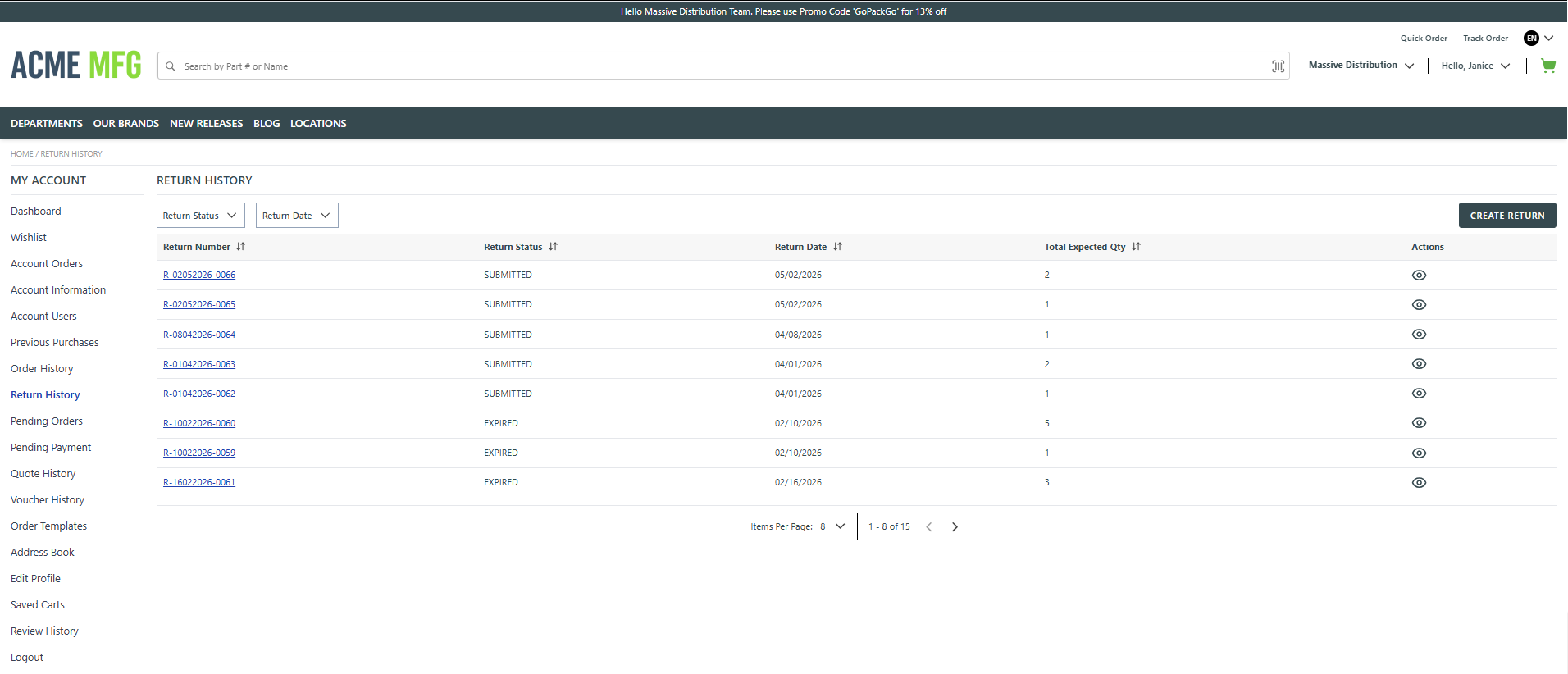
This page allows the user to view and manage all returns that have been initiated from their account.
The following features are available on this page:
- View a list of all initiated returns along with key details such as Return Number, Return Status, Return Date, and Total Expected Quantity.
- Filter returns using Return Status and Return Date to quickly locate specific returns.
- Sort the return list by Return Number, Return Status, Return Date, or Total Expected Qty.
- Open an individual return to view detailed return information.
- Create a new return using the Create Return action.
- Navigate through multiple pages of return records and control the number of items displayed per page.
The left navigation panel provides quick access to other account‑related pages, including Dashboard, Orders, Account Information, Purchase and Order History, Quotes, Vouchers, Saved Carts, and Profile settings. It also includes the Logout option, allowing the user to securely sign out of the application.