
The Email a Friend feature allows a logged-in user to share product details with a friend directly from the Product Detail Page (PDP). This functionality enables users to recommend products by sending an email that contains product information and a link to the product page.
Note: The Email a Friend feature is available only for logged-in users.
How It Works
- Navigate to the Product Detail Page of the desired product.
- Click the Email a Friend button.
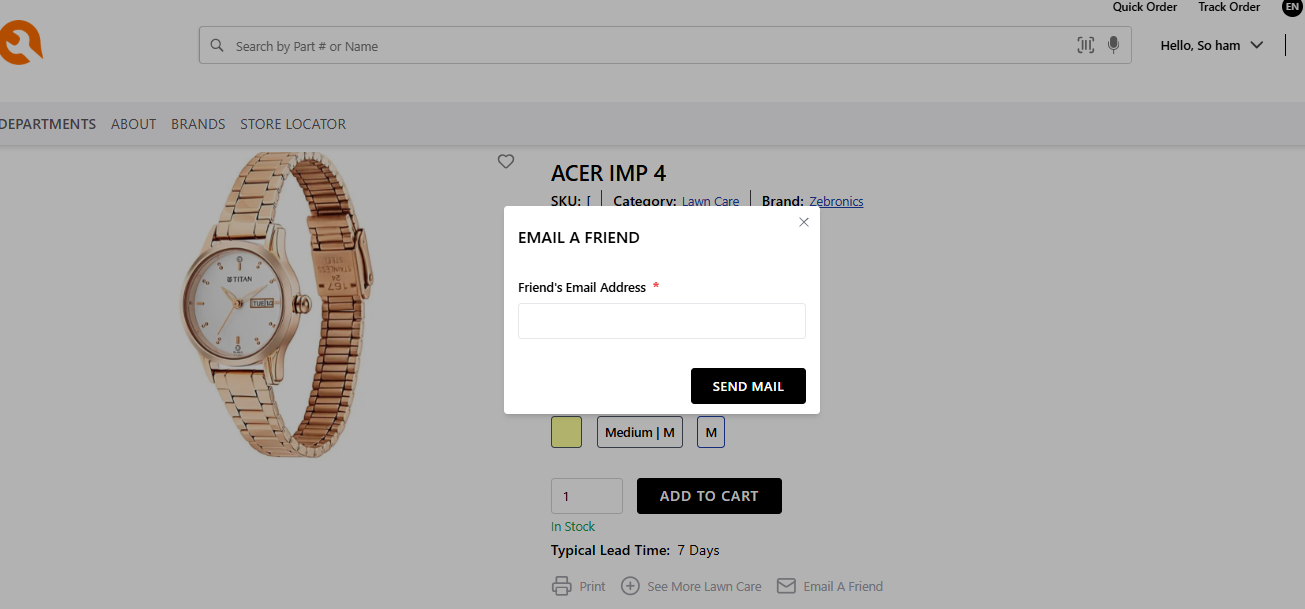
- The Email a Friend page will be displayed.
- Enter the Friend’s Email Address.
- Click the Send Email button.
Once submitted, an email containing the product details and a link to the product page will be sent to the specified recipient.
Fields Available on the Page
| Field | Description |
|---|---|
| Friend’s Email Address | Enter the email address of the person with whom you want to share the product. |
| Send Email | Sends the product details to the specified email address. |
Important Notes
- The Email a Friend feature is available only for logged-in users.
- If the user is not logged in, they will be prompted to log in before sending the email.
- The email content is generated based on the configured email template.