
Overview
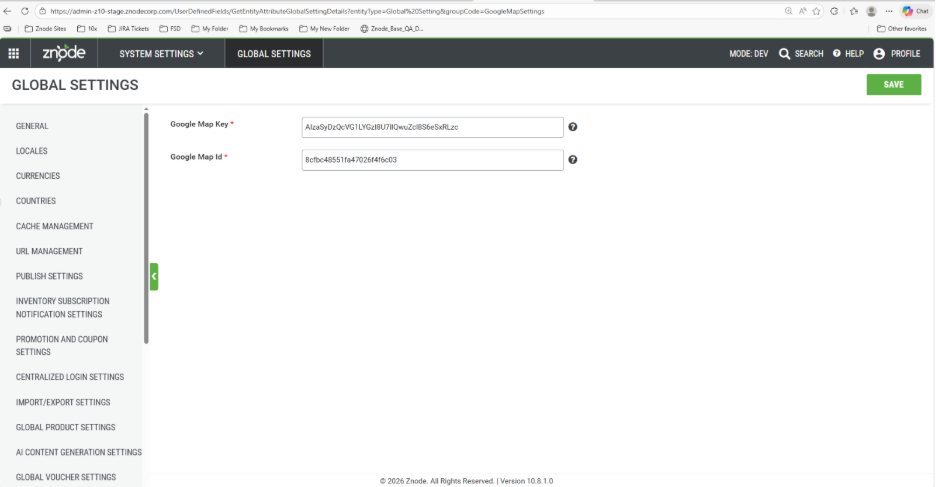
The Google Map Settings section in the Dev Center allows administrators to configure the credentials required for integrating Google Maps within the platform.
With the upgrade to the Google Maps API, support has been added to configure a MapId along with the existing Google Map Key. This configuration ensures compatibility with the updated Google Maps services.
Navigation
To configure the Google Map settings, navigate to:
Dev Center > Global Settings > Google Map Settings Tab
| Field | Description |
|---|---|
| Google Map Key | Enter the Google Maps API key generated from the Google Cloud Console. This key enables the application to access Google Maps services. |
| Google MapId | Enter the Google Map ID associated with the Google Maps configuration. This field is required to support the upgraded Google Maps API and allows the platform to use customized map styles and configurations. |
Notes
- Ensure the Google Map Key is valid and has the required API permissions enabled in Google Cloud Console.
- The MapId must correspond to a valid map configuration created in Google Cloud Platform.